Services
How it works
One process, from a 15-minute call to ongoing support. Each step ends with a decision you make.
Six steps

A 15-minute call
We learn how your business runs and what matters to you.
More about this step
A short phone call. We ask questions and listen. There's no pitch and no demo.
Discovery
We map how work moves today and where it slips.
More about this step
From the first ring to the paid invoice. We list where your records live now (paper, spreadsheets, QuickBooks, a phone's contacts) and which tools you want to keep.
Design
A plan built on your workflow, and a written scope you approve.
More about this step
You see a walkthrough using sample data, never your real customer records before an agreement is signed. The scope has clear options and itemized costs. Nothing is built until you approve it in writing.
Build
Built in stages, so useful pieces go live early.
More about this step
Your existing records are moved in, cleaned up, and checked with you. Where a tool already works for you, we connect to it instead of replacing it.
Test, train, launch
We test everything, train your team, and go live together.
More about this step
Training covers the owner, the office, and the field team on their real daily tasks. We watch the system closely for the first two weeks.
Support
Monitoring, a monthly review, and steady improvements.
More about this step
We catch problems early, review how the system is working with you each month, and adjust it as your business changes.
What a system might include
Examples, not a package. We include only what your business needs.
- Customer cards with full history
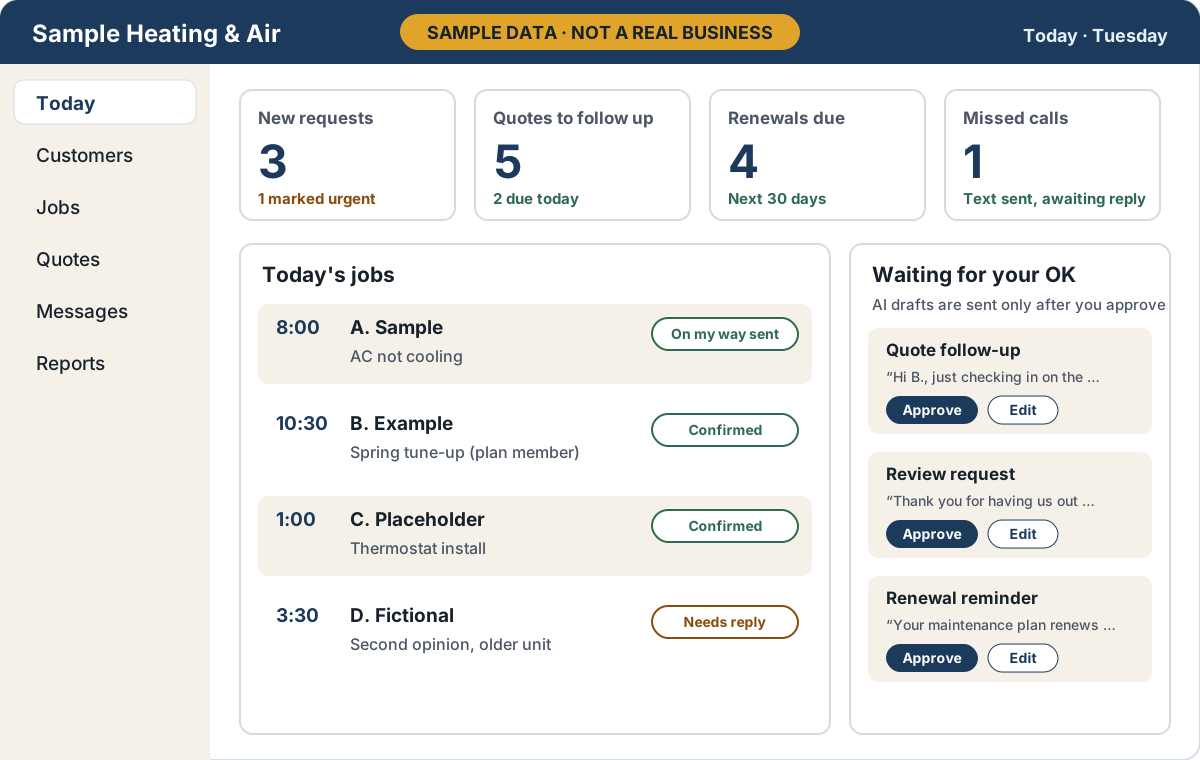
- A daily “Today” list per person
- Quote follow-up reminders
- Maintenance and renewal reminders
- Missed-call text back, with consent
- Review requests after a job
- An owner dashboard
- English and Spanish, where needed
Your records, handled with care
Your customer records are always yours, exportable any time in standard formats.
How we handle data and messages
- Exports come in spreadsheet-friendly formats with a plain-English guide to each field. [CONFIRM: final agreement]
- Messages to your customers are built to respect consent and opt-out rules for texting and email.
- A person approves AI-drafted messages before they go out. [CONFIRM: wording, W11]
- We don't build outbound AI voice calls to your customers. Any automated phone answering identifies itself as automated.
- Card numbers are entered only on the payment processor's own pages and are never stored by us.
- Access is limited by role, owner and admin sign-ins use two-step verification, and data is backed up daily.
- For health practices, we don't handle patient information until the required agreements are in place.
Start with a 15-minute call
No pitch and no demo. Just a conversation about how your business runs.